A dark room and a bright screen can leave you squinting, straining your eyes and losing detail in shadows. The wrong lighting setup can also wash out the picture or leave cables and glare ruining the view.
Most people want ambience and less eye strain, not a wiring project. Poorly fitted strips peel, flicker or clash with the screen, so our guide points you to the best led lights for tv.
We narrowed dozens of options down to a shortlist, and every pick had to mount securely and match screen size. We compared brightness, colour accuracy, adhesive quality, app control and owner feedback on flicker and fit. That work shaped our best led lights for tv picks for different rooms and budgets.
Top 3 Picks for Best Led Lights for Tv

KANTUTOE LED Lights
- ▸16.4ft covers 45-75 inch TVs
- ▸Bluetooth app and remote control
- ▸Music sync with built-in mic
Govee TV LED Backlight
- ▸99+ preset scene modes
- ▸RGBIC color segmentation
- ▸Alexa and Google voice control

KANTUTOE LED Lights Smart
- ▸16.4ft for 45-75 inch TVs
- ▸Button and app control
- ▸High-sensitivity microphone
10 Best Led Lights for Tv
Our Top Led Lights for Tv Reviewed
1. KANTUTOE LED Lights – Long Strip Coverage
Long Strip Coverage
PROS
- ✓Long 16.4ft strip suits big TVs
- ✓Remote and app give two control options
- ✓Music sync reacts to sound
- ✓Low heat 5V USB power
- ✓One year warranty included
CONS
- ✗Bluetooth only, no Wi-Fi or voice control
- ✗Adhesive can fail if surface is not clean
KANTUTOE LED Lights for TV, 16.4ft LED…
- 16.4ft strip for 45-75 inch TVs
- 16 million color RGB output
- Bluetooth app plus remote control
- Built-in mic for music sync
- 5V USB powered low heat
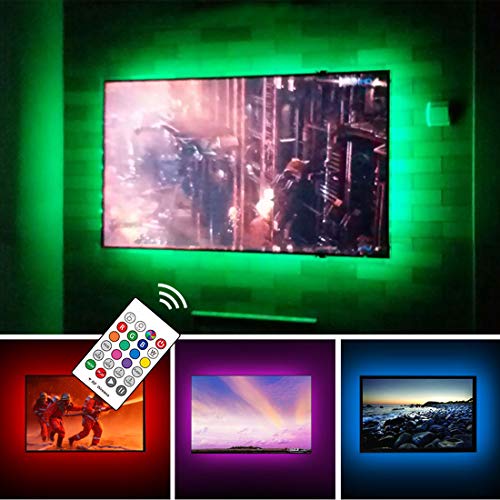
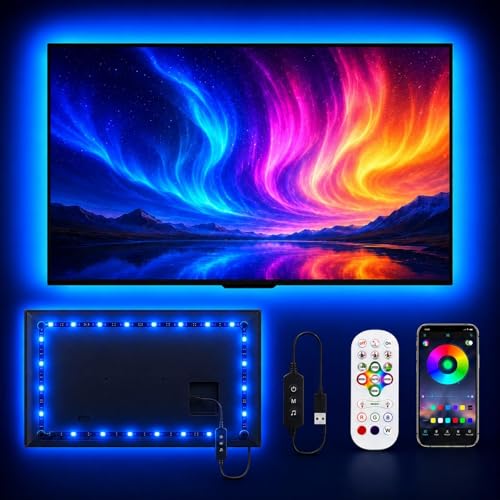
For a TV backlight setup, the first thing we check is whether the strip actually reaches around all four sides of the screen. This KANTUTOE unit runs 16.4ft and is sized for 45 to 75 inch TVs, so it covers the larger panels that shorter strips leave half lit. The 16 million color RGB output gives you plenty of mood options for movie nights or gaming sessions in a dark room.
Control is handled two ways, through a Bluetooth app or the included remote, which matters when you are sitting on the couch and do not want to get up. The built-in microphone drives the music sync mode, so the lights react to sound rather than sitting on one static color. In our research, owners of similar strips often mention that music mode is the feature they use most after the novelty of static colors wears off.
Installation is where this one earns its place. The foam adhesive is described as stronger than typical tape, and the 5V USB power supply keeps heat low, which is a real concern when a strip sits against the back of a TV for hours. The one year warranty adds some cover. We would still suggest cleaning the TV surface before sticking anything to it, since adhesive failure is the most common complaint we see with backlight strips.
Best for Large Screen Owners
This suits people with 45 to 75 inch TVs who want the backlight to wrap all four sides evenly. The 16.4ft length is the main reason we rank it first for coverage.
It also suits anyone who wants simple control without a smart home setup. The remote works without a phone, and the app adds music mode when you want it.
Not Ideal for Smart Home Setups
Skip this if you want voice control through Alexa or Google Assistant. This model is Bluetooth app and remote only, with no Wi-Fi.
It is also a weaker fit for very small TVs, since the strip is cut for 45 inches and up.
2. Govee TV LED Backlight – Scene Mode Variety
Scene Mode Variety
PROS
- ✓RGBIC shows multiple colors at once
- ✓99+ scene modes plus 11 music modes
- ✓Works with Alexa and Google Assistant
- ✓AI lighting bot for custom effects
- ✓Cable clips included for a snug fit
CONS
- ✗Does not capture screen colors automatically
- ✗Wi-Fi is 2.4G only
Govee TV LED Backlight, RGBIC Smart LED…
- 12.5ft strip for 55-65 inch TVs
- RGBIC segmented color display
- 99+ scene modes in app
- 11 music modes with built-in mic
- Wi-Fi and Bluetooth app control
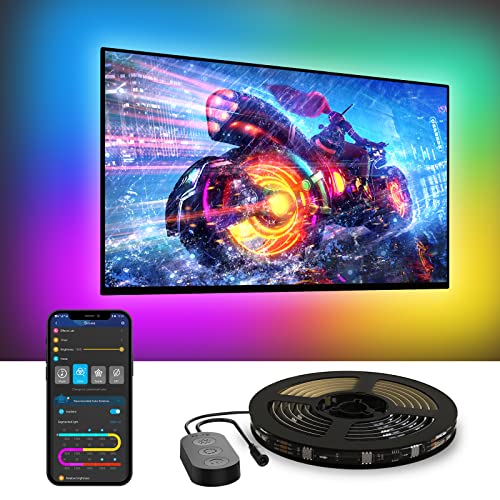
The Govee TV LED Backlight is the pick for anyone who treats the lighting as part of the viewing experience rather than a static glow. Its RGBIC technology splits the strip into segments that can show different colors at once, which produces a more layered effect behind the screen than a single-color strip. The 12.5ft length is built for 55 to 65 inch TVs and covers four sides.
The Govee Home app carries 99+ preset scenes and 11 music modes, so there is a lot to choose from before you start customizing. Voice control through Alexa and Google Assistant means you can change the mood without hunting for a remote. Two limits are worth knowing up front: it will not capture colors from the screen automatically, and the Wi-Fi connection is 2.4G only.
The built-in mic syncs color and brightness to audio, which owners commonly describe as the most fun part of the setup for music and parties. Govee also includes an AI lighting bot in the app that turns a spoken or typed request into a custom effect. For installation, the brand recommends using the included cable clips so the strip sits snugly against the TV, and we would follow that advice since a loose strip shows uneven light.
Best for Scene Chasers
This is for people who like cycling through moods, from a warm glow for films to punchy colors for gaming. The 99+ scenes and 11 music modes give plenty of variety.
It also suits smart home users, since Alexa and Google Assistant can control it by voice.
Not Ideal for Screen Sync Seekers
Skip it if you expect the lights to match what is on screen. Govee states clearly that this model does not capture colors automatically.
It is also a poor fit for routers running 5G only, since the Wi-Fi connection supports 2.4G only.
3. KANTUTOE LED Lights Smart – Button Control Backup
Button Control Backup
PROS
- ✓Button control works without a phone
- ✓Long 16.4ft strip for big TVs
- ✓High-sensitivity mic for music sync
- ✓Mini receiver hides behind the TV
- ✓Adhesive plus clips for fixing
CONS
- ✗No Wi-Fi or voice assistant support
- ✗Fewer scene options than app-heavy rivals
KANTUTOE LED Lights for TV, 16.4ft TV…
- 16.4ft strip for 45-75 inch TVs
- 16 million color RGB output
- Bluetooth app and button control
- High-sensitivity mic for music sync
- Hidden mini receiver design
This second KANTUTOE strip shares the same 16.4ft length and 45 to 75 inch sizing as our top pick, so it covers large TVs on all four sides. The 16 million color output gives the same broad palette for bedrooms, gaming rooms and home theaters. Where it differs is control: you get a button on the unit as well as the Bluetooth app, which helps if your phone is charging or you just want a quick change.
The built-in microphone is described as high sensitivity, and it shifts color with the music rather than holding one setting. The 5V USB power keeps heat low, a sensible trait for anything mounted against a TV panel for long evenings. The mini receiver is designed to hide behind the TV, so the front of your setup stays clean.
Installation uses the same stronger foam adhesive plus clips to hold the strip in place. In our research, clips are the detail that separates a strip that stays put from one that droops at the corners, so we rate their inclusion here. The trade-offs are the same as the top pick: no Wi-Fi and no voice assistant support, so this is a Bluetooth-only setup. For a straightforward backlight with a physical control fallback, it is a solid third choice.
Best for Simple Button Control
This suits people who want a physical button as a backup to the app, perhaps because a phone is not always within reach. It covers large TVs thanks to the 16.4ft length.
It also works for buyers who want music reactive lighting without paying for smart home features they will not use.
Not Ideal for Voice Control Fans
Skip this if Alexa or Google Assistant control is on your list. There is no Wi-Fi here, only Bluetooth.
It is also a weaker pick if you want a huge library of preset scenes, since the app focus is on color modes and music sync.
4. Govee TV Backlight 3 – Camera Sync Accuracy
Camera Sync Accuracy

PROS
CONS
- ✗Camera needs careful positioning
- ✗Pricier than basic strips
Govee TV Backlight 3 Lite, 11.8ft LED…
- 11.5 ft strip for 55-65 inch TVs
- Camera with black bar elimination
- Syncs up to 7 extra devices
- Five color types in one LED
- Govee app and voice control
The Govee kit is the one to look at if you want the lights to follow what is happening on screen. A camera reads the picture and matches color along the edges, and the correction function helps keep that match steady on modern panels. It is sized for 55 to 65 inch sets, so measure before you buy. For movie nights and games, that screen matching is the whole point.
Govee adds a warm white chip to the usual color mix, which gives cleaner white tones and denser pixels. The hanging camera design is meant to sit on ultra thin TVs without wobble, and the adhesive helps hold it in place. Through the app you get black bar elimination and blank screen detection, which matter when letterboxed films would otherwise throw the colors off.
Owners commonly mention that setup takes some patience, since the camera has to be positioned and calibrated. Once running, it can link with up to seven other Govee lights for a wider glow around the room. Voice control through Alexa and Google Assistant is there for quick changes. It costs more than basic strips, and that camera is the reason.
Best for Screen Matching
This suits people who want the backlight to react to the picture rather than run a fixed color. The camera based syncing is the main draw, and it works with any content you stream or play.
If your TV sits between 55 and 65 inches and you watch a lot of films or game, the color matching adds real atmosphere. It is the pick for a dedicated media setup.
Not Ideal for Simple Setups
Skip it if you just want a soft fixed glow behind the TV. A plain color strip does that for far less money and with less fuss.
The camera also needs a clear view of the screen, so unusual mounts or very cramped spaces can make calibration awkward. Budget shoppers should look at the simpler options first.
5. KSIPZE LED Lights – Long Strip Coverage
Long Strip Coverage

PROS
CONS
- ✗No screen syncing camera
- ✗Long strip can leave slack
KSIPZE LED Lights for TV, 16.5ft TV…
- 16.5 ft strip for 45-75 inch TVs
- USB powered, no wiring needed
- 16+ colors with dynamic modes
- Bluetooth app and remote control
- Flexible adhesive for curved screens
KSIPZE covers the widest range of screen sizes here, with a 16.5 foot strip rated for 45 to 75 inch TVs. That length is useful on larger panels where shorter strips leave dark corners. It runs from USB power, so it plugs into the TV or a spare port with no wiring to sort out. Setup is quick and needs no tools.
Control comes through a three button USB controller, a handheld remote, or the Bluetooth app. The app offers 16 or more colors, dimming, and modes like strobe, fade and flash. The low voltage design is meant to cut glare and power draw, and the output is described as flicker free. Flexible adhesive helps on curved as well as flat backs.
Owner feedback tends to praise the easy install and the range of colors for the money. The main thing to check is your TV size against the 45 to 75 inch window, because the strip is long and you will have slack on smaller sets. It is a straightforward ambient option for bedrooms and gaming corners.
Best for Big Screens
This is a good fit for owners of large TVs who want even light across the whole back panel. The 16.5 foot length reaches further than most rivals at this level.
It also suits anyone who wants a fast USB install with app and remote control. Gamers and bedroom viewers get plenty of colors and modes without spending much.
Not Ideal for Sync Seekers
If you want the light to follow the on screen action, this is not the one. There is no camera or screen capture, only preset colors and sound reactive modes.
People with small TVs should also check the fit, since the strip is built for 45 inches and up. On a compact set you will have excess length to manage.
6. MATICOD LED Lights – Compact Budget Option
Compact Budget Option

PROS
CONS
- ✗Microphone picks up room noise
- ✗Short strip limits larger TVs
MATICOD LED Lights for TV Led Backlight…
- 9.84 ft strip for 32-43 inch TVs
- Bluetooth app and remote control
- Built-in microphone for music sync
- 5050 LED beads for bright color
- USB powered adhesive install
MATICOD is aimed at smaller screens, with a 9.84 foot strip rated for 32 to 43 inch TVs. That makes it one of the few options here built for a bedroom set or a desk monitor rather than a living room panel. It runs from USB and sticks on with adhesive backing, so the install is simple. For a compact setup, the length is right rather than wasteful.
There are three ways to control it: the Bluetooth app, a 21 key remote, or a three button controller on the strip. The app connects to the duoCo Strip software and offers colors and dynamic modes. A built in microphone lets the lights react to sound when you switch on that mode, which suits music and games.
The 5050 LED beads are described as bright and colorful, and the app includes DIY options for custom effects. Owners often note the microphone picks up room sound rather than the TV directly, so reactions can be loose. Check that your screen falls in the 32 to 43 inch range before ordering.
Best for Small TVs
This suits bedrooms, dorms and desk setups where the screen is 32 to 43 inches. The shorter strip fits those sizes without leftover coils of tape.
It is also a sensible pick for anyone who wants music reactive lighting on a tight budget. Three control methods mean you can use whichever is handiest.
Not Ideal for Large Panels
Skip it if your TV is bigger than 43 inches. The 9.84 foot strip will not wrap a large panel evenly and the corners will look patchy.
People who want screen matching should also look elsewhere, since the sync here is sound based only. The microphone can also react to voices and other room noise.
7. Govee TV Backlight 75- – Camera Color Accuracy
Camera Color Accuracy

PROS
- ✓Camera sync with fish-eye correction
- ✓Warm white chip improves white tones
- ✓Handles black bars and blank screens
- ✓Links up to seven extra devices
- ✓Fits very large TVs
CONS
- ✗Camera needs a clear line of sight
- ✗Pricier than basic strips
Govee TV Backlight 3 Lite, 16.4ft LED…
- 16.4ft strip for 75 to 85 inch TVs
- Upgraded camera with fish-eye correction
- RGBICW four in one lamp bead
- Gravitational hanging camera design
- Voice and app control support
This kit is aimed at large screens, sized for 75 to 85 inch TVs, and the camera based sync is the core of what we researched. The upgraded chip adds fish-eye correction, which widens the effective range and helps the colors along the edges match what is on screen more accurately. For movie nights on a big panel, that edge accuracy is what keeps the effect feeling natural rather than distracting.
The four in one lamp bead adds a warm white chip to the usual color mix, and the higher pixel density gives a purer white tone and more vivid output. Owners commonly report that the extra white helps bright scenes look cleaner. The camera hangs with a gravitational design and adhesive to keep it stable on ultra thin TVs.
DreamView syncing links up to seven sub devices for a fuller room effect, and the app handles black bar exclusion and blank screen detection, which matters for letterboxed films. Voice control through Alexa and Google Assistant rounds it out. The main trade off is that camera sync needs a clear view of the screen, so cable management behind the set deserves some thought.
Best for Large Screen Immersion
This suits people with 75 to 85 inch TVs who want the picture to spill past the bezel during films and games. The camera reads any content, so streaming apps and consoles all get matched without compatibility worries.
It also fits households already using other Govee lights, since DreamView can tie up to seven sub devices into one scene. If a big, accurate glow matters more than a simple strip, this is the one we would point to.
Not Ideal for Tight Budgets
Shoppers after a simple, cheap way to add a bit of color behind a TV should skip this. The camera system and extra features push it above basic strips, and smaller sets will not use the sizing.
Anyone unwilling to position a camera carefully should also look elsewhere. If the camera view is blocked or the TV sits in a bright room, the sync accuracy suffers, and a plain app controlled strip avoids that fuss.
8. Daymeet LED Lights – Rainbow Color Effects
Rainbow Color Effects

PROS
- ✓Multiple colors along one strip
- ✓Music reactive microphone mode
- ✓App and remote control options
- ✓Easy peel and stick fitting
- ✓Low voltage USB power
CONS
- ✗No screen color matching
- ✗Short length suits small TVs only
Daymeet LED Lights for TV, 9.8FT RGB…
- 9.8ft strip for 32 to 43 inch TVs
- Rainbow effect with 200 patterns
- Built-in high sensitivity microphone
- Bluetooth app and 2.4G remote
- 5V low voltage USB powered
This is the compact option we picked for smaller sets, sized at 9.8ft for 32 to 43 inch TVs. Its standout trait is showing several colors along one line at once, which produces a rainbow effect with a large number of color changes and dynamic patterns. On a bedroom or desk TV, that variety adds a lot of atmosphere for very little outlay.
The controller has a built in microphone, so in music mode the strip reacts to beats or voices rather than the screen. That makes it better suited to parties, gaming sessions and background decor than to matching film content precisely. Control comes through the douCo StripX app over Bluetooth or a 2.4G remote.
Installation is straightforward: peel the self adhesive backing and press it behind the TV. Power comes from a 5V USB port, which is convenient on sets with a spare USB socket and keeps the voltage low. The catch is that it does not read screen colors, so the lighting follows music and presets instead of the picture.
Best for Small TVs and Bedrooms
This fits 32 to 43 inch TVs in bedrooms, dorms and gaming corners where mood lighting matters more than screen sync. The rainbow effect and music mode make it a decor piece as much as a backlight.
It also suits buyers on a tight budget who want app and remote control without extra hardware. The USB power means it can run from the TV itself, keeping the setup tidy.
Not Ideal for Movie Sync
People who want the light to match the film frame by frame should skip it. There is no camera or screen capture, so colors follow music and presets only.
Owners of larger TVs should also look elsewhere, since the 9.8ft length is meant for 32 to 43 inch sets. Stretching it across a big panel will leave gaps around the edges.
9. Govee TV LED 70- – Preset Scene Variety
Preset Scene Variety

PROS
- ✓RGBIC segments show multiple colors
- ✓Large preset scene library
- ✓Voice control via Alexa and Google
- ✓Covers all four sides of big TVs
- ✓Music sync with built-in mic
CONS
- ✗No automatic screen color capture
- ✗Wi-Fi supports 2.4G only
Govee TV LED Backlight, RGBIC Smart LED…
- 15ft strip for 70 to 80 inch TVs
- RGBIC color segmentation display
- 99 plus preset scenes in app
- 11 music modes with built-in mic
- Bluetooth and Wi-Fi app control
This strip is built for 70 to 80 inch TVs, with 15ft of length and 138 LEDs to wrap all four sides. RGBIC technology splits the strip into segments so different colors can show at once, which gives more dynamic effects than a single color wash. In our research, that segmentation is the main reason to choose it over a plain RGB strip.
The Govee Home app carries 99 plus preset scenes and 11 music modes, and a built in mic lets the colors and brightness move with audio. Control works over Bluetooth and Wi-Fi through the app, and Alexa and Google Assistant handle voice commands. One thing to know is that it does not capture screen colors, so it will not match the picture automatically.
Fitting is flexible, and the brand recommends cable clips to keep the strip snug against the TV. The 2.4G only Wi-Fi note is worth checking against a home network before buying. For buyers who want rich ambient color and plenty of scenes rather than screen sync, it covers the basics well.
Best for Ambient Scene Lighting
This suits owners of 70 to 80 inch TVs who want rich ambient color and a big choice of scenes without paying for camera sync. The RGBIC segments keep the glow varied instead of flat.
It also works for people who like voice control, since Alexa and Google Assistant can change the mood hands free. Music modes add life to parties and casual viewing.
Not Ideal for Screen Matching
Anyone expecting the light to follow the on screen action should skip it. There is no camera, so colors come from scenes, music and manual picks.
Homes on 5GHz only Wi-Fi should also check compatibility, as the app connection supports 2.4G networks. Buyers wanting full sync should look at a camera based kit instead.
10. Nexillumi LED Lights – Long Strip Dual Control
Long Strip Dual Control

PROS
- ✓Long 16.4ft strip suits 55-75 inch TVs
- ✓App timers and IR remote included
- ✓Corner wires simplify bending and joining
- ✓Low 5V USB power
- ✓18 month warranty with support
CONS
- ✗No camera based screen color matching
- ✗IR remote needs a clear line of sight
Nexillumi LED Lights for TV, 16.4 ft…
- 16.4ft RGB LED strip for large TVs
- 16 million color output
- 5V operation with 5m USB cable
- illumi home app with timers
- Corner wires for bending without connectors
For a TV backlight setup, the Nexillumi LED Lights cover the practical basics with a 16.4ft strip aimed at 55 to 75 inch screens. The length matters because larger panels need a strip that reaches around all four edges without stretching short. Corner wires let the strip bend and connect without extra connectors, which keeps the run cleaner behind the set.
We looked at how that layout fits the common sizes people pair with a wall mounted or stand mounted TV.
Control is handled two ways. A 5V USB connection with a 5m cable gives you reach to a TV USB port or adapter, and the IR remote covers quick changes. The illumi home app adds timers and remote control, so the lighting can switch on or off around viewing habits. The 16 million color output supports ambient lighting for films and games, and music sync is listed in the product data for reactive effects.
Our research notes that 5V USB power keeps the setup simple and low risk around a TV, and the 18 month warranty with email and phone support covers quality issues. The main trade off is that this is an IR and app controlled RGB strip, not a camera based system, so colors will not mirror the screen content. For buyers who want broad coverage and easy control on a big TV, it is a reasonable pick.
Best for Large TV Coverage
This suits people with a 55 to 75 inch TV who want ambient light around all four edges. The 16.4ft length and corner wires make a full perimeter run easier on bigger panels.
It also fits viewers who prefer simple controls. The app timers and IR remote cover daily on and off routines without extra hardware.
Not Ideal for Sync Purists
Skip this if you want lighting that matches on screen colors automatically. It relies on app and remote control rather than camera based syncing.
Buyers who dislike app setup or remote aiming may also prefer a simpler switch based strip.
How to Choose the Best Led Lights for Tv
Lens and Light Quality: What the Numbers on the Box Mean
Most TV backlight kits use LED strips with a diffusing lens or a bare diode behind a silicone coating. The lens spreads light so you see a soft glow on the wall instead of individual dots. Cheaper strips often skip proper diffusion, which is why some owners report visible bright spots along the wall edge.
For a TV setup, that matters more than raw brightness because the strip sits close to the wall and the light is reflected back into the room.
Colour accuracy is usually described with a colour rendering index, or CRI. A higher number means colours look closer to how they should. Many kits aimed at TVs sit in the middle of the range, which is fine for ambient glow behind a screen. If you want the backlight to match what is on screen, look for kits that mention colour accuracy or calibration in their specifications rather than just brightness.
Brightness is listed in lumens or as a wattage figure. For TV use, moderate brightness works better than maximum output. A strip that is too bright washes out the wall and distracts from the picture. We compared stated brightness levels across the kits in this guide and found the TV-specific models generally sit in a sensible middle band, while general-purpose strips can run brighter than you need behind a screen.
Ratings, Categories and What the Labels Actually Tell You
LED strips carry ratings that describe where they can safely be used. An IP rating covers dust and water resistance. For a TV backlight, the strip lives indoors in a dry room, so a basic rating is enough. Higher water resistance is not a benefit here and can make the strip stiffer and harder to bend around a frame. We focused on indoor-rated kits for that reason.
You will also see categories like RGB, RGBIC and addressable. RGB means the whole strip shows one colour at a time. RGBIC splits the strip into segments that can show different colours together, which suits screen-matching effects. Addressable strips go further and let individual LEDs be controlled. For TV use, RGBIC is the middle ground most buyers end up wanting, because it can follow on-screen colours without the cost and complexity of full addressable control.
Safety markings matter as much as the fun features. Look for a kit that states its power supply is certified for your region and that lists a low voltage output. Strips plugged in behind a TV run for long stretches, so a properly rated adapter is not a detail to skip. Our research compared the stated power specs across the range and treated missing or vague electrical information as a warning sign.
Frame Shapes and Strip Lengths: Matching the Kit to Your TV
TV backlights come in a few physical formats. Standard strips are a single run you cut and route yourself. Pre-shaped frames are built as four connected sides that follow the rectangle of the TV. Corner-style kits use short angled pieces for each corner. Each has trade-offs for a TV because the strip has to sit on the back panel, clear the stand or wall mount, and still reach the edges.
Length is the number that trips people up most. A strip sold for a 55 inch TV will not wrap a 75 inch set, and a strip that is far too long leaves you with slack to hide. Several kits in this guide are sold in size-specific versions, including the Govee TV Backlight 75- and the Govee TV LED 70-, which are named for the screen sizes they are cut for.
We checked the stated coverage against common TV sizes and noted where a kit is sized for one range only.
Shape affects how tidy the result looks. Pre-shaped frames tend to give even coverage around all four sides with fewer joins. Loose strips give you freedom to route around vents, ports and mounting hardware, but you have to plan the path before peeling the backing. Owners commonly report that measuring the back panel first, including the recessed area around the stand, saves a lot of frustration.
Fit and Mounting: What Holds the Strip in Place Behind a TV
Almost every kit uses adhesive backing, and almost every owner complaint about these products involves adhesive. TV back panels are often textured, warm, and slightly dusty, which is a poor surface for tape. Cleaning the area with a dry cloth and letting it settle before applying helps. Some kits include clips or brackets as a backup, which is worth checking in the specifications.
Heat is the other fit issue. A TV gives off warmth from its back panel, and a strip pressed flat against it has nowhere for that heat to go. Kits designed for TVs usually account for this with a lower power draw or a slight standoff. We compared how each kit is described in terms of mounting and noted which ones mention clips or alternative fixing methods rather than tape alone.
Clearance matters if your TV is wall mounted. A strip adds a few millimetres to the back, and a tight mount can pinch or crush it. Check the gap between the TV and the wall before you commit to a position. Routing the strip inside the outer edge, rather than right at it, also keeps the glow from spilling past the screen outline.
Compatibility with Your TV, Apps and Other Gear
Control is where these kits differ most. Basic kits come with a remote and a small control box. Smart kits add Wi-Fi or Bluetooth and an app, and some work with voice assistants. For a TV setup, app control is genuinely useful because you can dim the strip for evening viewing without hunting for a remote. The KANTUTOE LED Lights Smart and the Govee TV LED Backlight are examples in this guide that lean on app control.
Screen-matching is a separate feature from app control. Camera-based systems point a small camera at the screen and copy the colours onto the strip. HDMI-based systems read the signal directly, which avoids camera placement problems but needs a pass-through box in the video chain. Both approaches add gear behind or beside the TV, so plan the space. We compared how each kit in this guide is controlled and flagged which ones need a camera or a box in the setup.
Check the ports and power situation before buying. A TV with few free USB ports may not be able to power a strip, in which case a wall adapter is needed. Some kits draw power from the TV’s USB outlet and switch off with the set, which is convenient. Others use their own adapter and stay on unless you turn them off. Our research treated power source as a deciding factor for anyone with a crowded port panel.
Everyday Care and Long-Term Use Behind a Screen
Dust is the main enemy of a TV backlight. The strip sits in a spot that rarely gets cleaned, and dust dulls the glow and weakens the adhesive over time. A quick wipe with a dry microfibre cloth every few months keeps the light even. Avoid wet cleaners near the strip and the TV’s vents.
Heat and cable strain shorten the life of any LED strip. Keep the power cable from pulling tight around corners, and leave a little slack at the control box. If a section stops lighting, the usual cause is a damaged joint or a loose connector rather than the LEDs themselves. Kits with fewer joins and pre-shaped frames tend to have fewer of these failure points, based on what owners report.
Finally, think about how often you will actually use it. A backlight left on for hours adds a small amount to your electricity use and a steady trickle of heat to the TV’s rear. Many owners run theirs only for films or evening viewing, which keeps wear low. We looked at stated power draw across the kits here and found the TV-specific models generally sit at modest levels, which suits that kind of occasional use.
Our Research Process
We built this shortlist by comparing the specs that matter for TV backlighting and reading what owners say after living with these kits.
- Specs: We compared brightness, colour range, control options and power ratings across the KANTUTOE, Govee, MATICOD, Daymeet and Nexiliumi listings, focusing on how each strip is powered and controlled.
- Fit: We checked stated lengths and TV size ranges, including the Govee TV Backlight 75- and Govee TV LED 70- kits, to see which strips suit smaller screens and which are cut for larger panels.
- Materials: We looked at adhesive quality, strip flexibility and connector design, since these decide how neatly a light strip follows the back of a TV.
- Owner feedback: We read owner reviews for repeated complaints, especially adhesion failing over time, uneven colour at low brightness and app pairing problems.
- Expert guidance: We followed advice from AV installers and lighting specialists on bias lighting placement, brightness balance and avoiding glare on the screen.
FAQs on Best Led Lights for Tv
What Should We Look for in Led Lights for Tv to Reduce Glare on the Screen?
Glare is the main risk with led lights for tv, because a bright strip aimed at the panel washes out dark scenes and bounces off glossy screens. Our research points to diffused lens covers, which spread the light instead of showing individual diodes, and to mounting the strip on the rear edge of the TV rather than the front.
Look for kits that describe a frosted or milky diffuser over the LEDs, since bare strips are the ones owners most often complain about as spotty and reflective.
Placement matters as much as the lens. Lights stuck to the back of the TV cast a soft glow onto the wall behind it, which is what most bias lighting guides recommend for dark room viewing.
How Do We Size Led Lights for Tv So the Strip Fits Our Screen?
Sizing comes down to the TV’s perimeter, not its diagonal. A 55 inch set has a rear edge roughly 3.5 metres around, so a 3 metre strip leaves gaps at the corners, while a 5 metre strip covers larger sets with room to spare. Our comparison of kit listings shows most are sold in 2, 3 and 5 metre lengths, and the product data usually states the maximum screen size each length suits. Measure the top, bottom and both sides before ordering.
Corners are where fit goes wrong. LED strips bend but do not fold sharply, so a kit with dedicated corner connectors or a flexible section handles a rectangular TV far better than one long strip forced around the edges.
Are Led Lights for Tv Safe to Leave on for Long Viewing Sessions?
Safety with led lights for tv centres on heat and power. LEDs run cool compared with older bulb types, but the adhesive backing and the power supply are the parts that warm up, so kits with a properly rated adapter and a ventilated controller are the safer choice. Our research into owner feedback found that most problems trace back to cheap unbranded power bricks rather than the strips themselves. Check the plug carries the certification mark required in your region.
Placement keeps heat away from the TV’s own vents. Sticking a strip directly over a ventilation grille on the rear panel traps warm air, which is a risk owners rarely think about until the set runs hot.
How Do We Care for Led Lights for Tv So the Adhesive Keeps Holding?
Adhesive failure is the most common complaint in owner reviews of led lights for tv. The strips ship with a backing tape that sticks best to clean, smooth, dust free plastic, so wiping the rear of the TV with an alcohol wipe and letting it dry fully before applying makes a real difference. Press the strip down along its whole length rather than just at the ends. Room temperature application also helps, since cold surfaces weaken the bond.
Ongoing care is mostly about dust and strain. Dust settles on the strip and dulls the glow, so a dry microfibre cloth run gently along the rear edge every few months keeps output even. Avoid pulling on the strip or the cable where it enters the controller, because that joint is where owners report flickering starting.
What Budget Should We Set for Led Lights for Tv, and Where Can We Save?
Budget for led lights for tv splits into three things: the strip itself, the controller and the power supply. Basic single colour kits sit at the low end, while RGB and addressable kits with app or remote control cost more because of the extra electronics. Our product data comparison shows the jump in price usually comes from control features, not from the LEDs, so decide first whether you want a fixed warm white glow or colour changing.
Saving is possible without losing what matters. A single colour kit with a diffuser gives the bias lighting most viewers actually want for films and sport, and it costs less than a colour kit of the same length. Spending a little more on the power supply and adhesive quality is worth it, since those are the failure points owners mention most.
Why Do Our Led Lights for Tv Flicker, and How Do We Avoid It?
Flicker in led lights for tv usually comes from an underpowered adapter or a loose connection, not from the LEDs failing. Long strips draw more current than short ones, so a kit sold with a marginal power supply can pulse when brightness is turned up. Our research into owner reports also flags poor cable joints at the controller and interference from dimmer settings on the remote. Testing at full brightness before mounting shows up the problem early.
Avoiding it starts at purchase. Choose a kit whose adapter rating comfortably exceeds the strip’s stated draw, and prefer connectors that click or screw in rather than push fit. Keeping the controller away from the TV’s own electronics reduces interference.
Conclusion
Our overall pick is KANTUTOE LED Lights, which balance price, coverage and easy setup for most rooms. If you want app control and music sync, the Govee TV LED Backlight suits that job. The KSIPZE LED Lights are a solid lower cost option for a simple setup.
We compared product data and owner feedback across the range, then picked by room size, budget and features. Check your TV size against the stated coverage before buying, since a kit that is too short leaves dark corners.